
![]() | You are in KNJN US - Shipping worldwide from CA, USA. For KNJN EU, click here. |
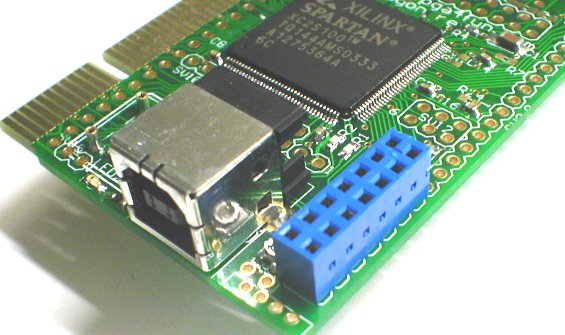
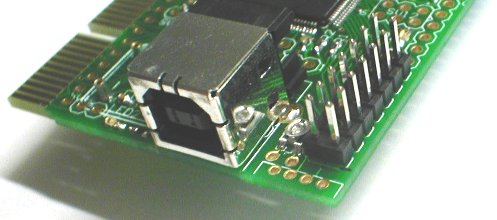
KNJN US Shopping cart Shopping information FPGA boards Pluto (RS-232) Pluto-P (Parallel) Saxo & Xylo (USB-2) Dragon (PCI) Dragon-E (PCI Express) Peripheral boards Flashy (High-speed ADC) TXDI (RS-232) Board documentation (PDFs) Shop FPGA boards / RS-232 FPGA boards / Parallel FPGA boards / USB-2 FPGA boards / PCI / Express Flashy Flashy - Accessories Oscilloscope - Probes LCD - Graphic LCD - Text Opto - Displays I2C - Accessories I2C - Displays I2C - PLLs I2C - Masters Adapter boards (TXDI) Adapter boards (misc) JTAG adapters (USB) JTAG adapters (Parallel) JTAG cables/connectors Cables - Custom Cables - Probing Cables - Flat Cables - Extension Cables - USB Cables - Power Lab - Test Lab - Switches Lab - Connectors Lab - Headers & sockets Lab - FPGA/CPLD Lab - Logic Lab - Memories Lab - Components Lab - Opto-electronic Lab - Oscillators | How to connect text LCD modules to DragonDirect connectionThe easiest way to connect LCD modules to Dragon is to solder a female connecter (blue on the picture below).
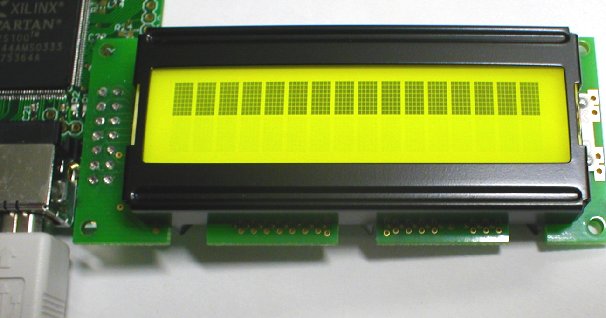
Then most LCD modules plug right in. You may need to solder a male connector on your LCD module, if it isn't fitted yet.
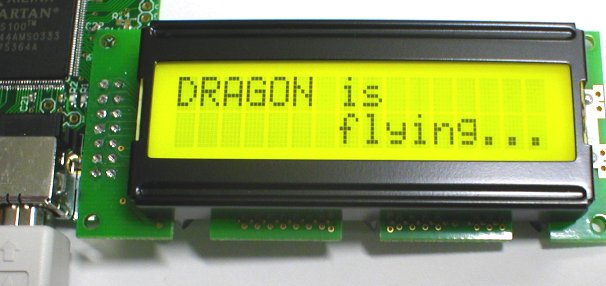
Then, configure the Spartan-II, send a few bytes through USB (C code provided), and voila!
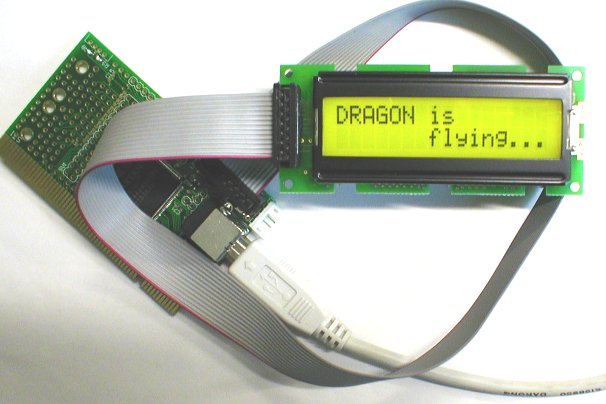
Using a flat cableYou can use a male connector and a flat cable.
Note: there are 2 ways to solder the connector on the LCD module, facing down or facing up.
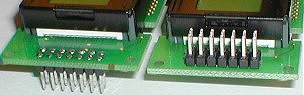
Use the same on the Dragon, facing down or facing up - or the connections through the flat cable will be inverted. |