
You are in KNJN US - Shipping worldwide from CA, USA.

For KNJN EU, click here.

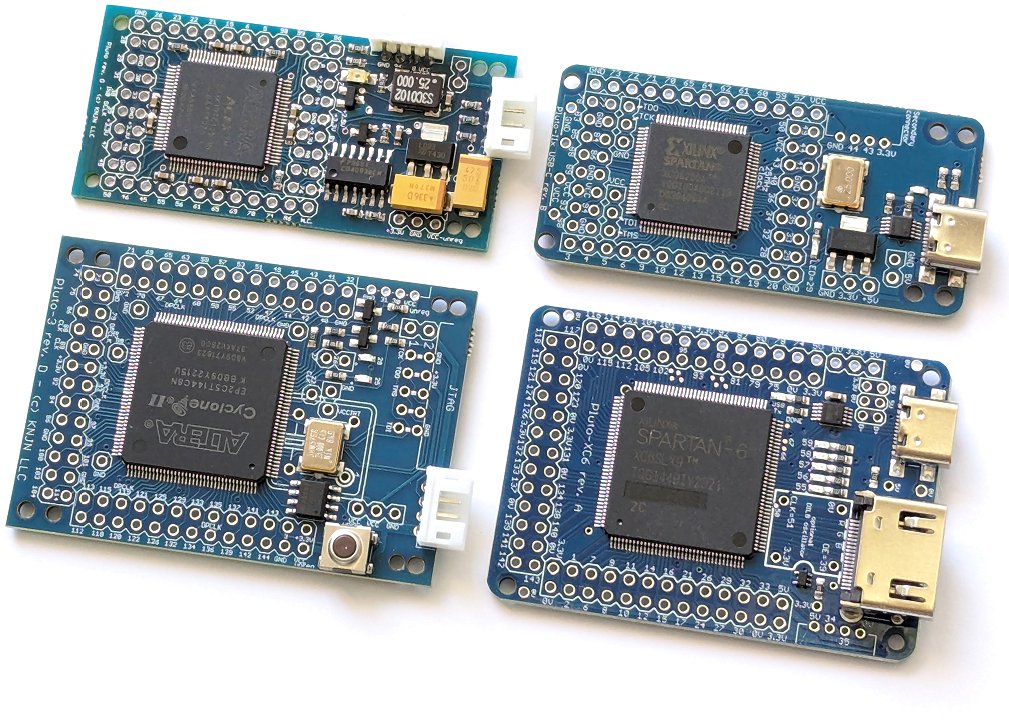
Pluto, Pluto-II and Pluto-3 FPGA boards

FPGA development boards that plug into a PC's serial port.

Characteristics
BoardPlutoPluto-IIPluto-3
FPGA (vendor page)EP1K10EP1C3EP2C5
Datasheet (PDF)ACEX 1KCycloneCyclone II
Logic cells57629104608
IO pins415165
PLLNoYesYes
External clocksup to 2up to 4up to 4
Boot-PROMNo1 Mbits4 Mbits
On-board oscillator25MHz25MHz25MHz
DIL8 oscillator headerNoNoYes
Push-buttonNoNoYes
JTAG headerNoNo (1)Yes
LED(s)112
Flashy readyFlashyFlashyFlashyD
Dimensions
(mechanical drawing)
58x28mm58x28mm58x41mm

(1) Pluto-II JTAG signals are accessible but require manual soldering of 6 wires to the board.

Common characteristics:
  • Easy to use - controlled from a PC's serial port.
  • Small form factor - go into a 'solderless-breadboard' for experiments, or used as motherboards or daughterboards for other projects.
  • Few on-board peripherals, most IOs available to connect to external peripherals.
  • Built-in voltage regulator, allows to use a common DC adapter as power supply.
  • Flashy boards compatible, to build an acquisition system or digital oscilloscope.
  • Built-in 'secondary' connector.
FPGA configuration

Select a bitfile, and click the 'Configure!' button in the provided application. The process takes 10 to 20 seconds. The boot-PROM can also programmed/verified/erased (with Pluto-II and Pluto-3 only, since Pluto doesn't have a boot-PROM).

How to connect the boards to a PC

The Pluto boards connect to a PC's serial port.
The serial port has two purposes:

  1. It is used for FPGA/boot-PROM configuration.
  2. Once the FPGA is configured, it is used to communicate with the PC (you can write a PC software that give orders to the FPGA, for example).
The secondary connector

This is a small connector found on one side of the Pluto boards. This connector has only 4 pins (2 for power and 2 for IOs) so only serial peripherals can be attached. For example:

  • I2C peripherals
  • LCDs and LED displays with serial interface

Here's Pluto-II connected to a color graphical LCD through the secondary connector.

JTAG

JTAG is optional and allows using Quartus-II's built-in support, including SignalTap II logic analyzer. To use JTAG, a separate JTAG adapter cable is required.

Flashy

The Pluto boards are compatible with the Flashy ADC daughterboard (Pluto-3 is also compatible with FlashyD=two channels). Check this Hands-on - A digital oscilloscope page for a step-by-step tutorial.

What files do you receive with the Pluto boards?
Board files:
  • Board documentation (view online here) (PDF)
  • FPGAconf configuration software (Windows EXE)
  • FlashyDemo (FPGA bitfile + GUI)
FPGA projects, 'ready to compile':
  • LED (HDL source code)
  • Music (HDL source code)
  • SerialRxTx (HDL + C source code)
  • Pong VGA (HDL source code)
  • FlashyMiny (HDL + C source code)
To purchase a board

Go to the Shop - FPGA development boards (RS-232) page.